
Nermin Sehic
AR Kit intro - placing 3D objects in a scene and interacting with them in real-time
#1about 3 minutes
Understanding augmented reality and the ARKit framework
Augmented reality overlays digital information onto the real world, unlike virtual reality which creates a completely new 3D world.
#2about 4 minutes
Exploring the evolution and requirements of ARKit
ARKit has evolved through four major versions, adding features like vertical plane detection and LIDAR-based mesh generation, while maintaining broad device compatibility since the iPhone 6S.
#3about 7 minutes
Choosing a rendering framework and understanding 3D coordinates
ARKit requires a rendering framework like SceneKit or RealityKit to display objects, and it operates in a 3D coordinate system where the origin is set when the AR session begins.
#4about 4 minutes
Managing 3D objects with the scene graph and raycasting
Objects are managed in a tree-like node structure called a scene graph, and raycasting is used to accurately detect surfaces for interactive object placement.
#5about 7 minutes
Building a basic AR app to place a sphere
A simple 'Hello World' application demonstrates how to initialize an AR session, enable debug options, and programmatically add a 3D sphere object to the scene's origin.
#6about 7 minutes
Creating an interactive furniture preview application
This demo showcases an 'Ikea Place' style app that detects horizontal planes and allows users to select and place different 3D furniture models in their real-world environment.
#7about 13 minutes
Implementing plane detection and interactive object placement
A code walkthrough explains how to configure an AR session for plane detection, use a gesture recognizer with raycasting to find coordinates, and dynamically add 3D models to the scene.
#8about 3 minutes
Exploring potential improvements for your AR app
Future enhancements could include detecting vertical planes for hanging pictures, making objects draggable, adding custom lighting for realism, and using a focus point for more precise placement.
Related jobs
Jobs that call for the skills explored in this talk.


Bonial International GmbH
Berlin, Germany
Senior
Python
Java
+1
Matching moments

02:04 MIN
Using augmented reality to innovate home furnishing
IKEA Story: Transforming an Iconic Retail Brand
03:35 MIN
Live demo of a cross-platform XR interaction toolkit
Apple Vision Pro: Proven Development Methods Meet the Latest Technology
08:29 MIN
A brief history of augmented reality technology
Cross platform Augmented Reality development with React Native
03:51 MIN
Unity and AR Foundation as a modern alternative
Cross platform Augmented Reality development with React Native
02:15 MIN
Introduction to XR development lessons and showcase
Apple Vision Pro: Proven Development Methods Meet the Latest Technology
06:52 MIN
Building AR experiences with Viro React
Cross platform Augmented Reality development with React Native
04:42 MIN
Apple Vision Pro and the current device landscape
XR Demystified: Separating Facts from Fiction in 2024

05:04 MIN
The rise of mobile AR and inside-out tracking
XR Demystified: Separating Facts from Fiction in 2024
Featured Partners
Related Videos
 28:51
28:51Detect Hand Pose with Vision
Milan Todorovic
 44:13
44:13From Zero to Mobile Developer in 45 Minutes With SwiftUI
Andrew Morgan
 44:30
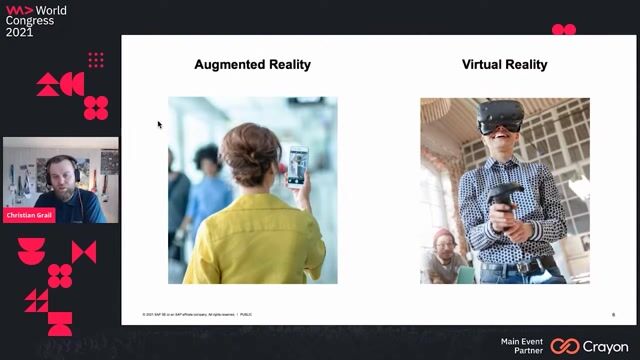
44:30Live Coding an Augmented Reality Game with WebXR
Christian Grail
 35:09
35:09There's an app for that - on the role of cross platform development in the app development ecosystem
Aleksandra Desmurs-Linczewska
 28:48
28:48Apple Vision Pro: Proven Development Methods Meet the Latest Technology
Mario Petricevic
 41:40
41:40Virtual Reality – The path to create your world
Drishti Jain
 52:01
52:01Unleash your web skills on native!
Rowdy Rabouw
 43:31
43:31Scalable architecture for mobile apps
Nachiket Apte
Related Articles
View all articles



From learning to earning
Jobs that call for the skills explored in this talk.


&why GmbH
Berlin, Germany
€50-70K
Junior
Intermediate
Senior
React
Next.js
TypeScript


IKEA B.V.
Amsterdam, Netherlands
Intermediate
React
Vue.js
JavaScript
TypeScript
IKEA B.V.
Amsterdam, Netherlands
€3-4K
IKEA B.V.
Amsterdam, Netherlands
Intermediate
API
Django
Python
PostgreSQL
Microservices
+1
Cappfinity
Charing Cross, United Kingdom
C++
Unreal Engine
Amazon Web Services (AWS)
brainchild GmbH
Eggenfelden, Germany
C++
Unreal Engine
Software Architecture