Markus Möller
Develop enterprise-ready applications for Microsoft Teams with Azure resources on modern web technologies
#1about 2 minutes
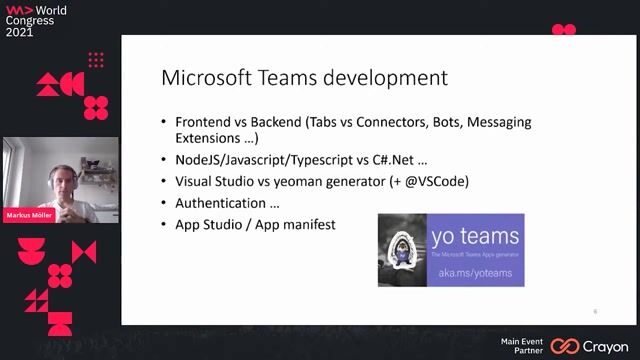
Overview of Microsoft Teams development capabilities
Microsoft Teams applications can be built using various components like bots, tabs, and messaging extensions with technologies such as Node.js or .NET.
#2about 4 minutes
Demonstrating a custom document sharing Teams application
A messaging extension allows users to search for documents and share them as adaptive cards in a channel, requiring configuration and authentication.
#3about 4 minutes
Using Azure for secure configuration and secrets management
Use Azure App Configuration for manageable settings and Azure Key Vault to securely store sensitive credentials like secrets and passwords.
#4about 6 minutes
Implementing access to Azure configuration from code
The code demonstrates how to use an App Configuration client to retrieve and save settings, handling different credential types for local and cloud environments.
#5about 2 minutes
How managed identity simplifies Azure resource access
Managed identity provides an Azure application with its own identity, eliminating the need to store credentials in code to access resources like Key Vault.
#6about 10 minutes
Debugging Azure authentication locally and remotely
A live debugging session contrasts local development using environment credentials with remote debugging in Azure, which uses managed identity for authentication.
#7about 4 minutes
Microsoft's modern approach to enterprise development
Microsoft has embraced open source and provides many free tools, but enterprise development still requires a focus on security and automation.
#8about 7 minutes
Automating deployment with an Azure DevOps pipeline
A code push automatically triggers a build pipeline defined in YAML and a release pipeline that deploys the application to an Azure App Service.
Related jobs
Jobs that call for the skills explored in this talk.

Hubert Burda Media
München, Germany
€80-95K
Intermediate
Senior
JavaScript
Node.js
+1
Matching moments
02:43 MIN
Building enterprise-grade AI agentic solutions
AI for Enterprise Developers - Dr. Damir Dobric
02:22 MIN
Highlights of the WeAreDevelopers World Congress
Why Testing Matters in AI - Luise Freese and Elio Struyf
05:31 MIN
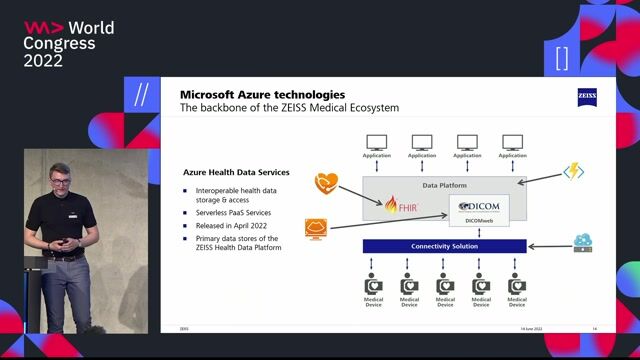
Collaborating directly with Microsoft's product development teams
ZEISS & Microsoft - Building the Next Generation Medical Ecosystem in the Cloud
04:17 MIN
Meeting modern application and data platform demands
Tomorrow's cloud data platforms - fully managed database-as-a-service (DBaaS)
01:03 MIN
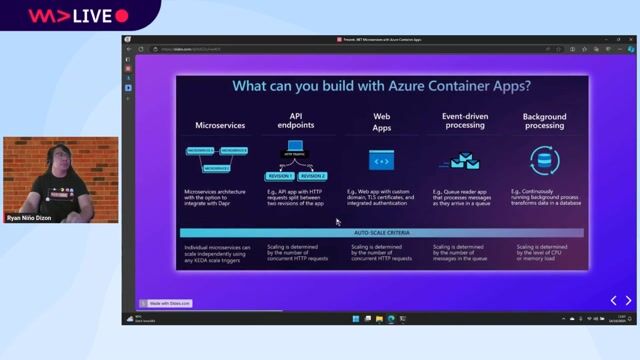
Exploring common use cases for Azure Container Apps
.NET Microservices in Azure Container Apps
04:15 MIN
The importance of specialized developer tools for Azure
Developer Tools for Microsoft Azure
02:40 MIN
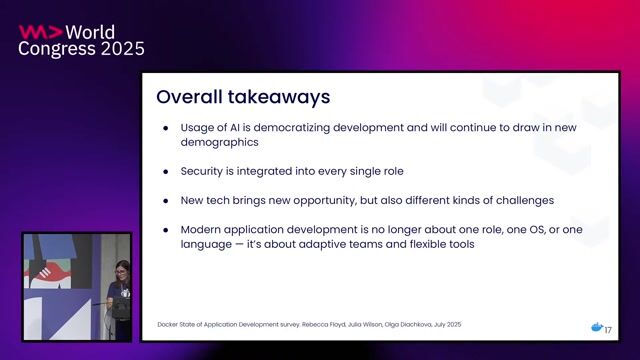
Defining the future of the modern developer role
The Evolving Landscape of Application Development: Insights from Three Years of Research

05:28 MIN
Adapting the developer console for enterprise needs
API‑First: How Twilio Designs for Developers - Justin Kitagawa (Twilio)
Featured Partners
Related Videos
 32:42
32:42.NET Microservices in Azure Container Apps
Ryan Niño Dizon
 26:00
26:00To New Frontiers: The Future of Frontend Development
Rainer Hahnekamp
 24:47
24:47Advanced Micro Frontends: Multi-Version and Multi-Framework Scenarios
Manfred Steyer
 35:17
35:17Front-End Micro Apps
Serg Hospodarets
 40:32
40:32Back(end) to the Future: Embracing the continuous Evolution of Infrastructure and Code
Matthias Falkenberg & Timo Knapp
 20:15
20:15Blazor and Azure functions for Serverless Website
Menaka Baskerpillai
 25:41
25:41Developer Tools for Microsoft Azure
Radu Vunvulea
 43:20
43:20Microfrontends at Scale
Josh Goldberg
Related Articles
View all articles



From learning to earning
Jobs that call for the skills explored in this talk.


&why GmbH
Berlin, Germany
€50-70K
Junior
Intermediate
Senior
React
Next.js
TypeScript


Schurer Pharma & Kosmetik GmbH
Leipzig, Germany
Remote
Intermediate
Azure
Microsoft Active Directory


Cosmo Consult GmbH
Berlin, Germany
Senior
API
Azure
React
DevOps
JavaScript
+4
Cosmo Consult GmbH
Berlin, Germany
Azure
React
DevOps
JavaScript
SharePoint
+2
Cosmo Consult GmbH
Weißenfels, Germany
Azure
React
DevOps
JavaScript
SharePoint
+2
Devoteam
Frankfurt am Main, Germany
Senior
API
Azure
DevOps
Python
PyTorch
+5
Westhouse Consulting GmbH
Berlin, Germany
Intermediate
API
Azure
React
Docker
Node.js
+3
applied technologies GmbH
Essen, Germany
Remote
JavaScript
TypeScript